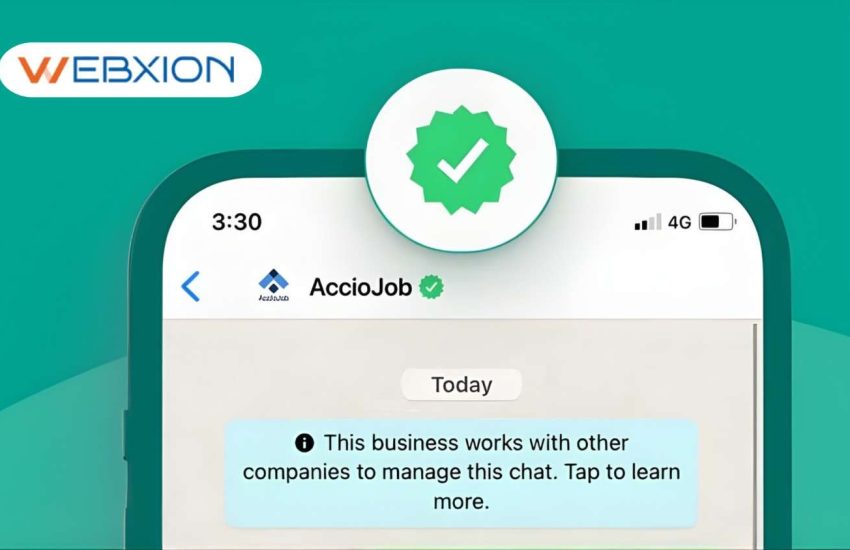
Summary – Getting a WhatsApp Green Tick means your business account is officially verified by Meta Platforms and recognized as an Official Business Account (OBA) on the WhatsApp Business Platform. In simple terms, the green badge beside your business name tells customers that the account is authentic and trusted. For companies operating in India, this verification is especially valuable because WhatsApp has become one of the most widely used customer communication channels for support, notifications, and business conversations.
To qualify for the green tick, businesses must first verify their company through Meta Business Manager, use the WhatsApp Business API, and demonstrate strong brand credibility, online presence, and media visibility. Once approved, your brand name appears in chats even if customers haven’t saved your number. This improves customer trust, message open rates, and brand recognition while protecting users from fake accounts or impersonation attempts.
Key highlights:
- Shows your business as a verified WhatsApp Official Business Account
- Displays the brand name instead of a phone number in chats
- Improves customer trust, engagement, and response rates
- Helps prevent fraud, impersonation, and fake WhatsApp numbers
- Ideal for companies using WhatsApp automation, chatbots, and notification services
WhatsApp is no longer just a personal messaging app. Today, it has become a powerful business communication platform used by brands across India to connect with customers instantly. From sending order confirmations and OTP alerts to providing customer support and promotional updates, businesses are increasingly relying on the WhatsApp Business Platform to deliver fast and personalized communication experiences.
However, with the rapid growth of digital messaging, customers have also become more cautious about fake numbers, scam messages, and impersonation attempts. This is where the WhatsApp Green Tick verification becomes extremely important. The green verification badge signals that the account has been officially authenticated by Meta Platforms and represents a genuine brand. When customers see this badge next to a business name, they immediately know they are interacting with the official company account.
For startups, enterprises, and growing digital brands in India, getting the green tick is more than just a badge—it’s a powerful trust signal that improves customer engagement, brand credibility, and messaging performance. In this guide, you’ll learn how WhatsApp green tick verification works, the eligibility requirements, the application process, and practical strategies businesses use to get approved successfully.
What Is a WhatsApp Green Tick (Official Business Account)?
A WhatsApp Green Tick is a verification badge displayed next to a company’s name in WhatsApp chats. It indicates that the account has been officially authenticated by WhatsApp and recognized as an Official Business Account (OBA). When customers receive a message from a verified account, they immediately see the brand name with a green checkmark, which signals that the communication is legitimate and trustworthy. This verification helps customers differentiate between genuine companies and fake accounts that attempt to impersonate businesses.
Unlike a standard business profile on the WhatsApp Business App, the green tick is granted only after a detailed review conducted by WhatsApp through Meta Platforms. Businesses must demonstrate authenticity, credibility, and public recognition before approval. For companies operating in India’s competitive digital economy, this verification badge strengthens brand perception and encourages customers to engage confidently through messaging channels.
Important characteristics of an Official Business Account
- Displays a green verification badge beside the brand name
- Shows the business name even if the number is not saved
- Confirms that the account belongs to a trusted organization
- Provides verified brand identity in WhatsApp chats
- Helps prevent fraudulent communication and fake profiles
Common industries using verified WhatsApp accounts
- Banking and fintech services
- E-commerce platforms
- Travel and hospitality companies
- Telecom and utility providers
- Online education and SaaS platforms
Why Businesses in India Want the WhatsApp Green Tick?
In India, WhatsApp has evolved into a major customer communication platform used by companies for sales, support, notifications, and marketing conversations. With millions of daily business interactions happening on WhatsApp, customers are increasingly cautious about fake accounts and phishing attempts. The green tick helps businesses build immediate credibility and ensures customers recognize the official brand channel.
Companies using the WhatsApp Business Platform for messaging campaigns often experience significantly higher engagement rates compared to email or SMS marketing. Verified accounts help organizations stand out in crowded inboxes and reinforce brand authority. In industries where trust is critical—such as banking, healthcare, and digital payments—the green tick reassures customers that their communication is secure.
Key benefits for businesses
- Builds instant brand credibility and consumer trust
- Improves message open rates and response rates
- Protects customers from fraudulent impersonation attempts
- Enhances customer experience through verified messaging channels
- Strengthens brand reputation in competitive markets
Business use cases
- Order confirmations and delivery notifications
- Customer service conversations
- Payment alerts and OTP authentication
- Promotional campaigns and product updates
- Appointment reminders and service updates
What Are the Eligibility Requirements for WhatsApp Green Tick in India?
WhatsApp applies strict criteria before granting verification. Not every business qualifies for the green tick because the platform prioritizes companies that demonstrate brand credibility, public presence, and responsible messaging practices. Businesses applying for verification must meet several operational and reputational requirements to ensure that the verified badge is given only to trustworthy organizations.
Companies operating through the WhatsApp Business Platform must maintain compliance with messaging guidelines and complete their verification process in Meta Business Manager. In addition to technical setup, WhatsApp evaluates whether the brand is recognized publicly through media coverage, online presence, and business credibility signals.
Primary eligibility requirements
- Active account on WhatsApp Business Platform or API
- Completed Meta Business Manager verification process
- Strong brand presence across digital platforms
- Compliance with WhatsApp messaging policies and guidelines
- Authentic business documentation and company registration
Brand credibility signals considered by WhatsApp
- Online media coverage and news articles
- Verified social media profiles
- Search engine visibility and website authority
- Consistent brand identity across platforms
- Customer trust and business reputation
What Should You Prepare Before Applying for the Green Tick?
Many businesses apply for verification too early without preparing the necessary documentation or brand signals. Preparing the correct assets significantly improves the likelihood of approval. WhatsApp typically evaluates the business’s legitimacy, brand presence, and operational authenticity before granting the green tick badge.
Companies applying through Meta Business Manager should ensure that their business information, domain verification, and brand details are accurate and consistent across all platforms. Establishing a professional digital footprint helps demonstrate credibility and trustworthiness during the review process.
Preparation checklist
- Verified business account on Meta Business Manager
- Operational WhatsApp Business API number
- Official company website with brand details
- Verified domain ownership
- Consistent branding across online channels
Supporting brand assets
- Press coverage and media mentions
- LinkedIn company page
- Verified social media profiles
- Customer support contact information
- Company documentation and registration certificates
Step-by-Step Process to Apply for WhatsApp Green Tick in India
Obtaining a WhatsApp green tick involves several stages, including business verification, API integration, and official verification requests. The process begins with setting up a business account in Meta’s ecosystem and connecting it to the WhatsApp Business infrastructure.
After verifying the company in Meta Business Manager, businesses must integrate their messaging through the WhatsApp Business Platform. Once the messaging account is active and compliant with WhatsApp policies, companies can submit a request for Official Business Account status.
Verification process steps
- Create a Meta Business Manager account
- Submit company documents for business verification
- Register a WhatsApp Business API number
- Connect messaging systems and automation tools
- Submit a request for official business account status
Important considerations
- Ensure consistent business details across platforms
- Maintain message quality and compliance
- Use approved message templates
- Avoid spam or unsolicited promotions
What Documents Are Required for WhatsApp Green Tick Verification?
During the verification process, businesses must provide documentation that confirms their legal existence and operational legitimacy. WhatsApp uses these documents to ensure that only legitimate companies receive the verification badge.
The verification process typically involves confirming the business through Meta Business Manager and verifying the company’s digital presence through domain ownership and business records.
Common documents required
- Certificate of incorporation or business registration
- GST registration or tax identification details
- Official business address verification
- Company website and domain verification
- Media coverage links or brand mentions
Additional verification signals
- Professional email addresses linked to the company domain
- Customer support contact details
- Consistent brand information across digital platforms
- Social media verification badges where applicable
Why WhatsApp Green Tick Applications Get Rejected?
Many businesses apply for the WhatsApp green tick but face rejection because they fail to meet key verification criteria. WhatsApp carefully reviews brand credibility, messaging behavior, and online presence before granting the verification badge.
Companies that lack sufficient brand recognition or fail to comply with messaging policies are often rejected. Maintaining a professional digital footprint and responsible messaging practices increases the chances of approval.
Common rejection reasons
- Insufficient brand notability or media presence
- Incomplete business verification process
- Messaging policy violations
- Spam campaigns or unsolicited promotional messages
- Inconsistent business details across platforms
Ways to reduce rejection risk
- Improve brand credibility through media coverage
- Maintain compliant messaging practices
- Ensure accurate business information across channels
- Use official API providers for WhatsApp integration
Proven Tips to Increase Your Chances of Getting the WhatsApp Green Tick
Businesses that successfully obtain WhatsApp verification usually focus on strengthening their brand authority before applying. Companies with strong digital presence, media mentions, and active customer engagement are more likely to receive approval.
Working with experienced messaging solution providers can also help businesses meet WhatsApp’s compliance and technical requirements.
Strategies to increase approval chances
- Build strong brand recognition through digital PR
- Maintain active messaging activity with customers
- Ensure professional website and domain verification
- Follow WhatsApp messaging policies strictly
- Use verified communication infrastructure
Brand authority signals
- Media coverage in industry publications
- Online reviews and customer testimonials
- Verified social media pages
- Consistent business branding across platforms
How Long Does WhatsApp Green Tick Verification Take?
The timeline for green tick verification varies depending on the company’s brand recognition and documentation completeness. Businesses with strong online presence and fully verified accounts typically receive faster responses.
Once the application is submitted through the WhatsApp Business Platform, Meta reviews the business profile, messaging behavior, and brand signals before making a decision.
Typical verification timeline
- Initial review: 2–7 days
- Extended review: up to 2–3 weeks
- Additional verification requests if required
Factors affecting approval time
- Brand credibility and online presence
- Business verification status
- Quality of documentation submitted
- Messaging compliance and activity
Can Small Businesses in India Get the WhatsApp Green Tick?
Small businesses and startups can apply for WhatsApp verification, but approval is usually easier for brands with strong recognition. Startups that invest in brand visibility, digital marketing, and public relations can significantly improve their chances of getting verified.
By building a strong digital presence and using the WhatsApp Business Platform actively, small businesses can gradually establish the credibility required for verification.
Growth strategies for startups
- Publish press releases and brand announcements
- Collaborate with industry media platforms
- Strengthen search engine visibility
- Build active social media communities
- Maintain professional customer communication channels
WhatsApp Green Tick vs Business Verification
Businesses often misunderstand the difference between standard business verification and official green tick verification. These two processes serve different purposes within the Meta ecosystem.
Business verification confirms that a company exists legally, while the green tick indicates that the brand is recognized and notable publicly.
Business verification
- Confirms legal business identity
- Required to use WhatsApp API
- Completed through Meta Business Manager
Green tick verification
- Indicates brand notability and authenticity
- Displays verification badge in WhatsApp chats
- Requires strong public presence
WhatsApp Business Solution Providers in India
Many organizations partner with messaging solution providers to implement WhatsApp communication systems and manage verification processes. These providers help businesses integrate WhatsApp messaging with marketing platforms, CRM systems, and automation tools.
For example, companies like Webxion help organizations implement:
- WhatsApp Business Platform services
- RCS Business Messaging services
- SMS Notification services
- Outbound Voice Calls services
- Missed Call Services
- AI ChatBots services
These solutions allow businesses to create integrated omnichannel communication strategies that improve customer engagement, automate responses, and streamline marketing campaigns.
Business benefits
- Automated customer support systems
- Omnichannel messaging platforms
- CRM and marketing automation integration
- Advanced analytics and reporting tools
Start Your WhatsApp Green Tick Verification with the Right Business Messaging Partner
Getting the WhatsApp Green Tick is one of the most effective ways to establish trust, authenticity, and verified communication with your customers. When your business is verified on the WhatsApp Business Platform, customers instantly recognize your brand as an official and secure business account approved by Meta Platforms. This verification badge helps companies improve customer confidence, message engagement, and brand credibility, especially in competitive digital markets across India.
For businesses using WhatsApp for customer support, transactional alerts, marketing campaigns, and automated notifications, the green tick acts as a powerful trust signal. It also ensures that your brand name appears clearly in chats, helping customers identify your business even if they haven’t saved your phone number.
Key advantages of getting a WhatsApp Green Tick
- Builds brand trust and verified business identity
- Improves message open rates and customer response rates
- Protects customers from fake accounts and impersonation scams
- Strengthens customer engagement and communication transparency
- Enhances credibility for e-commerce, fintech, SaaS, and service businesses
To simplify the verification process and build a powerful messaging infrastructure, businesses often rely on trusted communication providers. Companies like Webxion help organizations implement advanced messaging solutions that support verified business communication and omnichannel engagement.
If your business is planning to apply for WhatsApp Green Tick verification, implement WhatsApp API messaging, or improve customer communication channels, now is the right time to connect with Webxion and build a trusted, verified WhatsApp communication ecosystem that strengthens customer relationships and drives business growth.
Frequently Asked Questions About WhatsApp Green Tick Verification
1. How can I get a WhatsApp green tick for my business account in India?
To get a WhatsApp Green Tick, businesses must meet specific verification and credibility requirements set by Meta Platforms. The process involves verifying your company, using the official WhatsApp Business API, and demonstrating strong brand visibility online. Once your business meets these criteria, you can request Official Business Account (OBA) status through the WhatsApp Business Platform.
Key steps to obtain WhatsApp green tick verification
- Verify your business in Meta Business Manager
- Register and activate a WhatsApp Business API account
- Maintain consistent messaging with approved message templates
- Demonstrate strong brand presence and media coverage
- Submit an Official Business Account verification request
2. Is WhatsApp green tick verification free for businesses?
Yes, WhatsApp does not charge a direct fee for granting the green verification badge. However, businesses typically invest in infrastructure required to operate the WhatsApp messaging system through the WhatsApp Business Platform.
Common costs businesses may encounter
- WhatsApp Business API integration setup
- Messaging service provider or solution partner fees
- Customer communication automation tools
- CRM integration and chatbot development
- Messaging conversation charges based on usage
3. How long does WhatsApp green tick approval take?
The approval timeline varies depending on the company’s brand credibility, documentation completeness, and online presence. Businesses with strong digital authority and verified profiles often experience faster approvals.
Typical verification timeline
- Initial application review: 2–7 business days
- Extended brand credibility review: up to 2–3 weeks
- Additional verification checks if documentation is incomplete
Factors influencing approval time
- Verified company details in Meta Business Manager
- Active use of the WhatsApp Business Platform
- Brand media coverage and search visibility
- Messaging quality and policy compliance
4. Can small businesses or startups get a WhatsApp green tick?
Yes, startups and small businesses can apply for verification, but approval usually depends on brand credibility and public recognition. WhatsApp prioritizes companies that have strong online presence and established customer communication channels.
Ways startups can improve approval chances
- Build brand visibility through digital PR and media mentions
- Create a professional website with verified business details
- Use the WhatsApp Business Platform actively for customer interactions
- Maintain verified social media profiles and brand authority
- Publish industry articles or press releases
5. What happens if WhatsApp rejects my green tick application?
If your verification request is rejected, you can reapply after improving your brand credibility and business verification status. Many companies successfully receive approval after strengthening their digital presence and messaging practices.
Steps to take after rejection
- Improve online brand authority with media coverage and PR mentions
- Ensure accurate business details in Meta Business Manager
- Maintain compliant messaging using the WhatsApp Business Platform
- Build strong brand recognition through SEO and digital marketing
- Reapply once your business meets WhatsApp’s credibility standards